


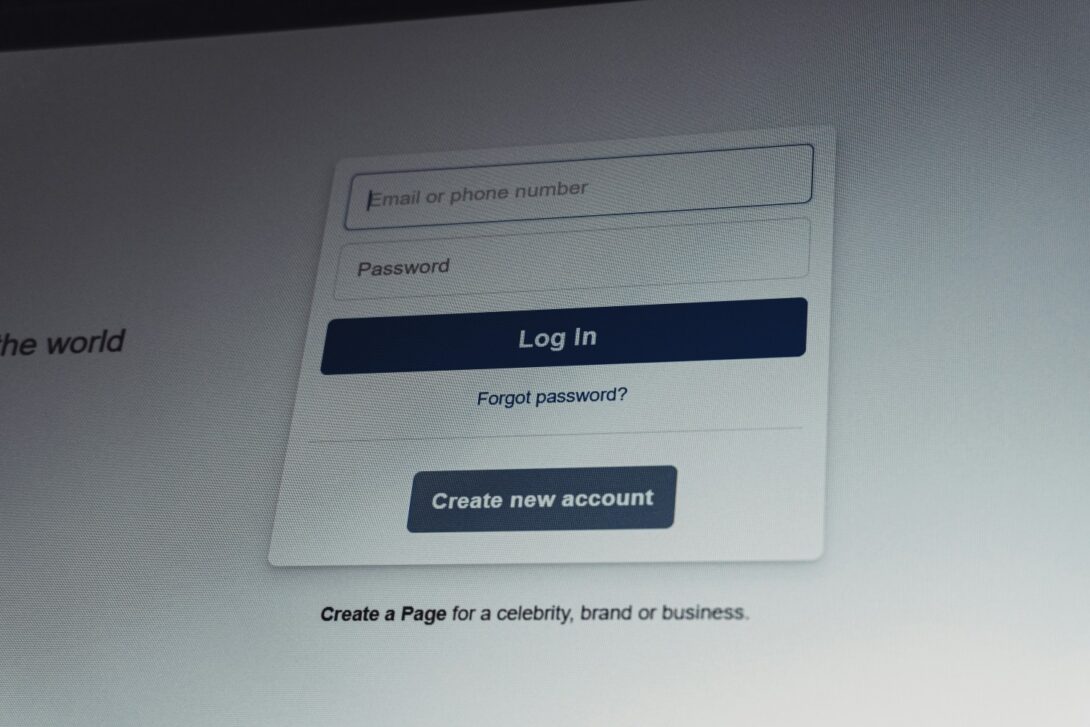
“Create an account to continue” is a common way to control a funnel. It is also a common reason people leave.
Registration makes sense when identity is the product: saved work, payments, teams, permissions, or anything that needs an audit trail. The problem is asking for an account before the user gets a result. In many products, the first visit is a quick task, not a relationship.
A useful way to frame it: design the first session around one job the user came to do, then ask for an account when it unlocks the next step.
Why no-login flows often convert better at the top of the funnel
Shorter time to value. Sign-up adds steps. Each step is a chance to quit.
Lower trust barrier. An email address feels like a cost. People do not want to pay it before they know what they get.
Easier sharing. If someone sends a link and the recipient hits a wall, the loop breaks.
None of this means “never require accounts.” It means “do not use accounts as a substitute for value delivery.”
Examples in different categories
You can see the same pattern across unrelated products:
- Wikipedia lets you read immediately. Accounts exist for editing and moderation.
- Speedtest by Ookla runs the test right away. You can create an account later if you want history.
- Photopea opens as a full editor in the browser. You can start work without registering.
- Google Docs and Figma both support link-based access. Many people first interact as viewers.
These products are not identical, but they share a choice: the first click leads to a result.
The main design decision: what happens before identity is required
Ask one question: what is the user trying to do in the first two minutes?
If the first job is evaluation, a sign-up wall usually hurts. If the first job is saving work or collaborating, you may need identity, but you can still delay it.
A practical split:
- No login needed: reading, previewing, trying a tool, running a test, exploring templates, viewing shared links.
- Login needed later: saving to the cloud, multi-device sync, teams, permissions, billing, automation.
Patterns that work without accounts
Most good no-login experiences rely on a small set of building blocks, and they often blend together.
The simplest is read-only access: a public page, a shared link, or a viewer mode that lets people get value without making an identity decision first. This works well when the first job is to consume or verify something, not to create or collaborate.
The next step up is letting people do real work in a temporary context. Instead of forcing registration to persist progress, you can keep state locally in the browser, offer an expiring workspace, or generate a “continue later” link. The point is the same: let the user reach an outcome, then make persistence the reason to sign up.
Collaboration can be frictionless too when you start with “open the link” rather than “create an account.” Many teams first need to see a file, a prototype, or a draft. Identity becomes necessary only when someone tries to comment, edit, or manage permissions.
For monetization, the same idea shows up as guest actions. In commerce, that can be guest checkout. In tools, it can mean a free run or a free export before you ask for an account. When you do need an upgrade path, soft limits tend to feel better than hard walls: allow the first result, then cap daily usage, reduce export quality, slow down processing, or reserve advanced options for logged-in users. That keeps the experience honest while still creating a clear reason to register.
When frictionless tends to win
No-login flows are strongest when the intent is narrow:
- “I just need to check this.”
- “Let me see if this is useful.”
- “I want a quick output, then I’m gone.”
That is why utilities and viewers often avoid mandatory accounts. Speed tests, converters, preview links, and public viewers are frequently used in short bursts. Registration turns a 20-second task into a commitment.
When registration should come early
Some products cannot stay open for long:
- Sensitive data: finance, health, enterprise workflows
- High abuse risk: spam, scraping, harassment, brute force usage
- Strict permissions: teams, roles, audit logs
- Non-trivial costs: expensive compute or storage
Even in these cases, you can often offer a small, safe “first result” without a full account. A demo dataset, a limited preview, or a single free run can show value without handing over identity.
The real cost of no-login (and what teams do about it)
Abuse and bots. Open endpoints attract automated traffic.
What helps: rate limits, IP reputation, captchas only when behavior looks suspicious, and separate quotas for anonymous vs logged-in users.
Less attribution. Without accounts, lifecycle messaging is harder.
What helps: privacy-respecting analytics, session-based cohorts, and clear upgrade prompts tied to specific actions.
Support becomes trickier. A user without an account can still get stuck.
What helps: strong FAQ, error messages that explain what to do next, and a “report a problem” flow that includes a session token.
Internal pressure to “capture leads.” Teams worry that fewer sign-ups means lower revenue.
What helps: measure activation and paid conversion, not just sign-up rate. In many products, removing the wall reduces sign-ups but increases the number of people who reach the “aha” moment. That can improve paid conversion later.
The best moment to ask for an account
A good sign-up prompt feels like a door the user is choosing to open, not a toll booth. The cleanest timing is when the next step clearly requires persistence, higher limits, or accountability.
That usually happens when someone tries to save their work for later, pick up on another device, or build a history they can return to. The same is true for exports that cost you real resources: higher-quality downloads, bulk actions, or anything that creates ongoing storage and retrieval needs. Collaboration is another natural trigger. Viewing can stay open, but commenting, editing, inviting others, and managing permissions all benefit from identity and an audit trail.
Automation is often the strongest “fair ask.” The moment a user wants scheduled runs, integrations, webhooks, or notifications, they are asking the product to remember them and act on their behalf. That is a clear and understandable reason to create an account.
If the user cannot immediately tell what the account unlocks, the timing is probably wrong. The prompt should map to a concrete next action they already want.
What to measure
If you are testing a no-login-first approach, measure outcomes, not just sign-ups. Start with how fast people reach a real result. Time-to-value is often the clearest indicator that friction was removed in the right place.
Then look at activation: the share of visitors who complete the key action that proves the product is useful. If activation rises but sign-ups drop, that is not automatically a failure. In many products, it is the expected trade: more people get value before they commit.
Retention matters next, especially short-term return behavior. Do people come back within a week or a month? Frictionless experiences can increase “casual” usage, so returning sessions are a better signal than raw registrations.
Sharing is another strong signal because it reflects confidence. If link opens and downstream visits increase, your product is easier to recommend. After that, focus on monetization mechanics: how often users hit limits, and what happens next. Do they stop, work around it, or upgrade? The answer tells you whether your gates are placed where users actually feel value.
Finally, track the costs you introduced by going open: abuse, bot traffic, support volume, and infrastructure spend per anonymous session. A frictionless funnel is only a win if it is sustainable.
Closing note
Registration is a tool. It is not the product.
If a user arrives to do one small job, give them the shortest path to finish it. If they come back, they will tell you when they are ready to save, pay, or collaborate. Your design should meet them there, not at the door.